
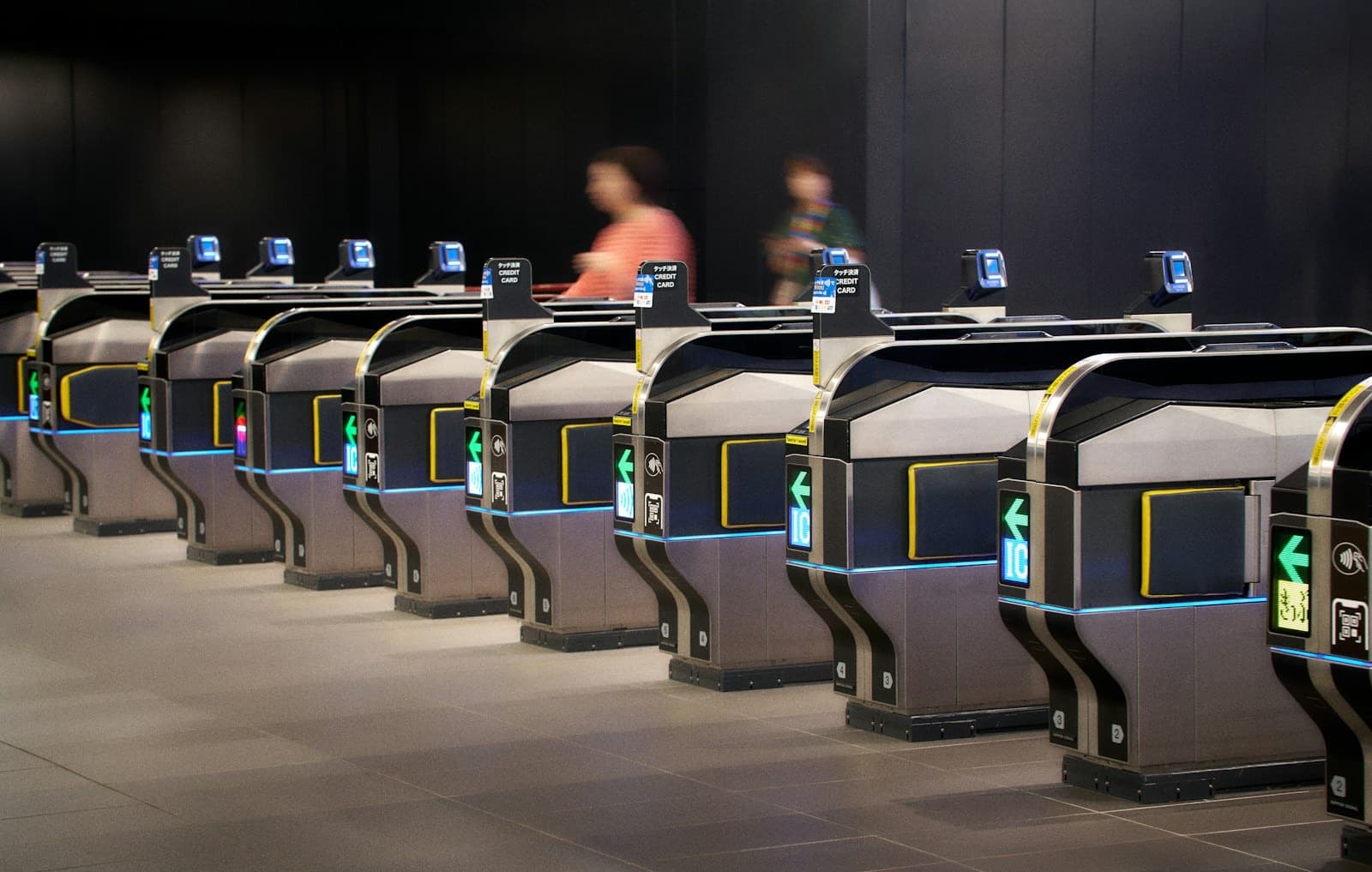
Welcome Suica 2026: No Deposit, 28 Days, and the Balance You Never Get Back
The Welcome Suica costs nothing to hold, expires 28 days after your first tap, and forfeits whatever is left on it. Here is when that trade is worth taking, when a regular Suica or an Apple Wallet Suica beats it, and exactly where to pick one up.
You land at Narita or Haneda, you have no train ticket, and the fare chart above the machines is in kanji. The Welcome Suica exists for exactly that moment. It is JR East's prepaid IC card for short-stay visitors: no deposit, tap to ride, tap to buy a coffee. But it comes with one hard rule that costs travelers real money every week — it dies 28 days after your first tap, and whatever balance is still on it is gone for good.
That single rule is what should drive your choice. If your trip is under four weeks and you keep the balance low, the Welcome Suica is the fastest, most frictionless card you can put in your pocket. If you are staying longer, coming back next year, or carrying an iPhone, there is a better option. This guide lays out all four choices side by side, tells you exactly where to buy in 2026, and clears up the two money figures that almost every other article on the internet mashes together.
Quick Answer: Should You Get a Welcome Suica in 2026?
- No deposit, but nothing comes back. Every yen you load is spendable, and every yen you don't spend is forfeited when the card expires 28 days after your first use.
- Have an iPhone? Put a Suica in Apple Wallet instead. iPhone 8 or later and Apple Watch Series 3 or later can add one from home, before you fly, and top it up with a credit card.
- Have an Android bought outside Japan? You almost certainly cannot. Suica needs Sony FeliCa hardware — get a physical card.
- Staying more than a month, or coming back? Buy a regular Suica: ¥500 refundable deposit, no 28-day cliff, and the balance survives between trips.
What the Welcome Suica Actually Is
Which airport you land at changes the first train you tap onto — see our Narita vs Haneda guide.
Suica is the rechargeable IC card run by JR East, the railway company that operates most of the network around Tokyo and across eastern Japan. You load money onto it, tap it on the reader at a ticket gate, and the fare is deducted when you tap out. Locals have used them for two decades; the same chip pays for vending machines, convenience stores, and coin lockers.
The Welcome Suica is the visitor edition of that card. Travelers often call it the "red Suica" for its red-and-white sakura pattern, and it is worth having for the design alone — but the reason it exists is administrative, not decorative. A regular Suica ties up a ¥500 deposit that you have to queue up and reclaim before you leave. The Welcome Suica skips the deposit entirely. JR East's trade for that convenience is a hard expiry: 28 days from the first time you tap it, after which the card stops working and any money left on it is forfeited rather than refunded.
So it is not a "better" card or a "worse" one. It is a card that assumes you will be gone in a month and never come back, and it prices itself accordingly.
One historical note that still confuses people: JR East suspended sales of regular Suica cards in 2023 during the global semiconductor shortage, while continuing to supply Welcome Suica to tourists. Supply has since recovered, and regular Suica cards are on sale again at ticket machines in major JR East stations. If an older guide told you the Welcome Suica was your only choice, that advice has expired.
Welcome Suica vs Regular Suica vs Apple Wallet vs PASMO / ICOCA
Four realistic options, and the right one depends almost entirely on how long you are staying and what phone is in your pocket. Here is the whole decision in one table.
IC card options for visitors to Japan, 2026
| Option | Deposit | Validity | Balance refundable? | Where to get it | Best for |
|---|---|---|---|---|---|
| Welcome Suica | None | 28 days from first use | No — forfeited at expiry | Airport & JR EAST Travel Service Centers; airport vending machines | Trips under 4 weeks; Android users; anyone who wants a souvenir card |
| Regular Suica | ¥500, refundable | No 28-day cliff | Yes — minus a ¥220 handling fee | Ticket machines at major JR East stations (Tokyo, Shinjuku, Shibuya, Ueno) | Stays over a month; repeat visitors; anyone who wants their money back |
| Suica in Apple Wallet | None | No 28-day cliff | Not practical for visitors — keep it for next trip instead | Apple Wallet, from anywhere in the world, before you fly | iPhone 8 or later / Apple Watch Series 3 or later — the best option if you have one |
| PASMO Passport / ICOCA | PASMO Passport: none. ICOCA: ¥500, refundable | PASMO Passport: 28 days. ICOCA: no cliff | PASMO Passport: no. ICOCA: yes | PASMO Passport: Tokyo airports & subway. ICOCA: Kansai Airport, big JR West stations | Same-day fallback if Suica is sold out; ICOCA if you start in Osaka or Kyoto |
All of these cards are interoperable. A Welcome Suica works at an Osaka Metro gate; an ICOCA works on the Yamanote Line. You do not need one card per region, and you should never buy a second card just because you changed cities. If you want the full breakdown of the Tokyo sibling card, we cover it separately in our PASMO Passport guide for 2026.
One thing an IC card is not: a rail pass. Suica pays local fares out of a prepaid balance — it does not discount anything. If you are crossing the country by shinkansen, that is a separate calculation. Start with whether the JR Pass is worth it in 2026, check the current Japan Rail Pass price, and run your actual route through our JR Pass calculator. Most travelers end up carrying both a pass and an IC card, and that is completely normal.
The Phone Question: iPhone Yes, Android Almost Certainly No
This is the part that trips up the most travelers, and a lot of blogs get it wrong. Putting a Suica inside a phone is not a software feature — it depends on a specific piece of hardware. Suica runs on Sony's FeliCa contactless standard, and your phone physically has to contain a FeliCa-capable chip to hold one. That single fact splits travelers into two groups.
If you have an iPhone or Apple Watch: this is your best option
Apple ships FeliCa in every iPhone from the iPhone 8 onwards, and every Apple Watch from Series 3 onwards, worldwide. It does not matter where you bought the phone. You can open Apple Wallet at your kitchen table in Chicago or Manchester, add a Suica, and load it with your credit card before you have even packed. When you land, you tap your phone on the gate and walk through.
It is genuinely better than plastic: it never runs out of balance at an awkward moment because you can top up on the platform in ten seconds, you can check the balance without finding a machine, and it cannot fall out of your pocket. If you are an iPhone user, the honest advice is to skip the physical card entirely — unless you specifically want the red sakura card as a souvenir, which is a perfectly good reason to buy one anyway.
If you have an Android: buy the plastic card
Android is a different story, and the "just add it to Google Pay" advice you may have read is wrong for most visitors. Suica on Android requires a Japanese-market handset with FeliCa built in — the feature Japanese carriers call Osaifu-Keitai. The overwhelming majority of Android phones sold outside Japan do not have that chip, and no amount of app installing or Google Wallet fiddling will conjure it into existence. If you bought your Android phone in North America, Europe, Australia, or most of Asia, assume you cannot add a Suica to it and plan for a physical card.
The same hardware limit applies to JR East's Welcome Suica Mobile app, which is iPhone and Apple Watch only. There is no Android version, so the app is not a workaround.
💬 From our Japan travel team
The rule of thumb we give every traveler: iPhone → digital Suica in Apple Wallet, set up before you fly. Android → physical card, bought on arrival. There is no third path, and no app that fixes an Android phone without a FeliCa chip.
Whichever way you go, you will want data from the moment you land to check routes and top-up screens — our Japan eSIM guide covers getting connected before you clear customs, and the Visit Japan Web QR guide gets you through immigration faster so you actually reach the ticket machines before the queue builds.
What JR East says is coming
JR East has announced plans to rebuild the Suica app with code-based payments, which the company has said would allow spending beyond the current ¥20,000 balance ceiling, with the rollout signposted for around autumn 2026. Treat that as an announced plan rather than a feature you can count on — official timelines for this sort of thing slip routinely. Check the JR East site in the week before you fly and plan your trip around what works today, not what is scheduled.
What It Costs: Two Numbers People Constantly Confuse
Search for Welcome Suica prices and you will see ¥1,000, ¥10,000, and ¥20,000 thrown around interchangeably. They are three different things, and mixing them up is why travelers turn up at a machine expecting something that does not happen. Here is the clean version.
The three money figures, kept apart
| Figure | What it actually means |
|---|---|
| Deposit: ¥0 | The card itself costs nothing to hold. Nothing is withheld, and nothing comes back. |
| Initial load: ¥1,000 – ¥10,000 | The amount you choose to put on the card at the moment you buy it. This is the only number you pick at purchase. |
| Maximum balance: ¥20,000 | The ceiling the card can ever hold. It applies to later top-ups, not to your first purchase — you cannot buy the card with ¥20,000 on it, but you can top up toward that cap once you are travelling. |
To say it plainly: the ¥1,000–¥10,000 range is what you can load when you buy the card. The ¥20,000 figure is the maximum the card can hold at any one time. They are not competing numbers and neither one is the "price" of the card. Because there is no deposit, every yen you hand the machine lands on the card as spendable balance.
Top-ups happen at ticket vending machines and fare adjustment machines showing the Welcome Suica mark, and at convenience stores. Bring cash: station machines take yen notes only, and a foreign credit card will not top up a physical Welcome Suica. (A Suica living in Apple Wallet is the exception — you top that up with a card, instantly, from wherever you are standing.)
Our advice on the opening load: start at ¥3,000–¥5,000, not ¥10,000. Topping up takes twenty seconds at any station. Getting money off the card takes a time machine.
Where to Buy a Welcome Suica in 2026
The Welcome Suica is not sold at every station in Japan, and that surprises people who assume any ticket machine will do. Sales are limited to two channels.
JR EAST Travel Service Centers
Staffed counters at Narita Airport Terminal 1 Station, Narita Airport Terminal 2·3 Station, Haneda Airport Terminal 3 Station, plus Tokyo, Shibuya, Shinjuku, Ikebukuro, Ueno, Yokohama, and Sendai stations.
Welcome Suica vending machines
Dedicated machines sit at the three airport stations: Narita Terminal 1, Narita Terminal 2·3, and Haneda Terminal 3. They run English menus and take cash.
If you can use the vending machine, use the vending machine. The counters at Shinjuku and Ikebukuro develop serious queues in peak season, and after a twelve-hour flight the last thing you want is thirty minutes of standing in a JR ticket office to buy a card a machine could have sold you in two. Landing at Haneda Terminal 3 and heading into town on the Tokyo Monorail? The machine is right there before the gate. Narita works the same way.
Two limits worth knowing before you plan around them. One Welcome Suica per person — you cannot buy a stack of them for the family from a single transaction, and each traveler needs their own card in hand at the gate. And if you miss the airport window entirely, the city Travel Service Centers above are your backup; there is no need to detour back to the airport.
💬 From our Japan travel team
On our self-guided tours, every course includes a Suica — so you skip the hassle of getting one issued at a station counter. It arrives pre-charged at the airport, which means no queue at the vending machines: collect it, tap through the gate, and head straight to your hotel.
Starting your trip in Kansai instead? The equivalent card there is ICOCA, sold at Kansai International Airport and at large JR West stations. It carries the same ¥500 refundable deposit as a regular Suica and works identically at gates nationwide — including Tokyo. If you land in Osaka, buy ICOCA and stop thinking about it.
The Reference Paper: The Slip You Must Not Bin
When you buy a Welcome Suica, the machine or the counter hands you a small printed slip alongside the card. It is called the Reference Paper, and it is easy to mistake for a receipt and throw away. Do not. It carries your card's validity period and details that are not printed anywhere on the card itself, and station staff may ask to see it.
Here is the trap. There is a "GOOD THRU" date printed on the back of the card, and it is not your expiry date. It has nothing to do with the 28-day clock. Travelers read it, relax, and then find themselves at a gate with a dead card and a balance they cannot recover. The only place your real validity period appears is the Reference Paper.
Fold it into your passport on day one and forget about it. It weighs nothing and it is the only record you have of when your card stops working.
Using It Day to Day
At the ticket gate
There is no ticket to buy and no fare to work out in advance. Tap the card flat on the reader panel as you enter, tap again as you exit, and the correct fare is deducted automatically. The gate flashes green and shows your remaining balance for a split second as you walk through. On buses, you tap on boarding and again when you get off.
A red flash means one of two things: you are out of money, or you have tried to exit somewhere the card cannot settle the fare. Neither is a crisis. Step aside to the fare adjustment machine, or wave at the staff member in the glass booth at the end of the gate line — sorting this out is most of what that job involves, and they will not be annoyed with you.
For shopping
The same tap works far beyond the railway. Convenience stores, vending machines on the platform, station bakeries, restaurants, kiosks on board trains — anywhere displaying the IC logo takes it. At a konbini register, say "Suica" when the staff ask about payment, wait for the terminal to beep, and touch the card to the reader. That is the entire transaction.
Coin lockers
Station coin lockers increasingly use IC cards as both the payment and the key: you tap to lock the door and tap the same card to open it again. Which means if you are travelling with a partner and you swap cards halfway through the day, you have locked your bag with a key that is now in someone else's wallet. Remember which card closed the locker.
Where It Works — and Where It Doesn't
The good news first. Because Japan's IC card systems are mutually interoperable, a Welcome Suica bought at Narita works on essentially every urban transport network a tourist will touch: JR lines and subways around Tokyo, the Tokyo Monorail from Haneda, the Osaka Metro, Kyoto city buses, trains in Kobe and Nara, and the local networks in Sendai, Niigata, Morioka and further afield. It sits in the same family as ICOCA, PASMO, and the other regional cards, so a gate that takes any of them takes yours. In practice: if the gate has the IC mark, tap and go.
The cross-area rule — the one to memorise
Now the catch, and it is the single most misunderstood thing about Japanese IC cards. The network is divided into regional zones, and you cannot use the card to ride continuously from one zone into another. A journey that begins in one IC area has to end in that same IC area.
This sounds abstract until it bites. It does not mean your card stops working when you reach Kyoto — it works perfectly there. It means you cannot tap in at a Tokyo-area station and tap out at a Kansai-area station on one continuous local ride. If your route genuinely crosses a zone boundary on local lines, you exit the gates at the boundary, then re-enter and start a fresh journey. For the vast majority of trips this never comes up, because nobody sensible rides local trains from Tokyo to Kyoto — they take the shinkansen, which is a separate ticket anyway.
What the card will not pay for
An IC card covers ordinary local fares. It does not cover the premium products, and you need a proper ticket for each of these:
- Shinkansen. Buy the ticket separately, online or at a JR office. Your Suica buys the platform coffee, not the bullet train.
- Limited express and express trains. The limited express surcharge is a separate ticket — this catches people on the Keisei Skyliner to Narita and the Haruka to Kansai Airport.
- Green Cars. The first-class carriages need their own ticket on top of the fare.
The mental model that keeps you out of trouble: Suica pays for getting around a city. Tickets pay for getting between cities.
A Welcome Suica Across a Real 10-Day Trip
Here is how the card actually behaves on a standard Tokyo–Kyoto–Osaka run, from the airport to the departure gate.
Day 1 — Arrive Haneda
Buy the Welcome Suica at the vending machine in Terminal 3 and load ¥3,000. Tap onto the Tokyo Monorail toward Hamamatsucho. Tap again for konbini dinner near the hotel. The 28-day clock starts at that first gate.
Days 2–4 — Tokyo
Yamanote Line, Tokyo Metro, city buses, platform coffee, a coin locker in Akihabara. This is the card at its best — you stop thinking about fares entirely. Top up at any machine when the gate flashes a low number.
Day 5 — Shinkansen to Kyoto
The bullet train fare is a separate ticket, bought online or at the JR office. The Suica handles the station bento and the coffee on the platform, and picks up again the moment you step off at Kyoto Station.
Days 6–8 — Kyoto and Osaka
The same card works on Kyoto city buses, the Osaka Metro, and JR West local lines. No second card required, no re-registration, nothing to do. Top up at any Kansai station machine or convenience store.
Days 9–10 — Back to Tokyo, then home
Spend the balance down deliberately: station snacks, a last bento, an airport vending machine. Whatever is still on the card when it expires is gone, so treat the last two days as a spend-down. Then keep the card — it is a good souvenir.
Common Mistakes to Avoid
- Loading ¥10,000 on day one. There is no refund. Anything unspent when the 28 days run out simply evaporates. Start at ¥3,000 and top up.
- Believing the "GOOD THRU" date on the card. It is not your expiry. The real validity period is on the Reference Paper, and only there.
- Assuming it covers the shinkansen. It does not, and never has. Intercity trains are always a separate ticket.
- Sharing one card between two people. Each traveler needs their own — the system tracks entry and exit per card, and two people cannot tap through on one.
- Counting on Google Pay to hold a Suica on a non-Japanese Android. The chip is not in the phone. Buy the plastic card and move on.
- Losing the card. A lost Welcome Suica cannot be reissued and the balance goes with it. Treat it like cash, because that is what it is.
Want the rest of the trip as simple as tapping a gate?
We build self-guided Japan itineraries with hotels, intercity trains, and day-by-day routes locked in before you land — so the only thing you actually have to figure out at the airport is which card to buy.
Would you rather have your IC card and train tickets arranged for you? Get in touch through Plan My Trip on our self-guided tours site, and we’ll suggest the tours that best fit your dates and plans.
FAQ
Is the Welcome Suica still worth buying now that regular Suica is back on sale?
For a trip under four weeks, yes — there is no deposit to pay and nothing to reclaim before you fly home, and the sakura design makes a decent souvenir. For a stay longer than a month, or if you expect to return to Japan, buy a regular Suica instead: it carries a ¥500 refundable deposit, has no 28-day expiry, and the balance is still there next trip.
Can I get a refund on the balance left on my Welcome Suica?
No. This is the card's defining trade-off. Because you never paid a deposit, there is nothing to refund and no mechanism to return unused balance — whatever is on the card when it expires is forfeited. A regular Suica is different: you get the ¥500 deposit back plus the remaining balance, minus a ¥220 handling fee. Plan to spend your Welcome Suica down to near zero on your final days.
Can I add a Suica to my Android phone?
Almost certainly not, if you bought the phone outside Japan. Suica requires Sony FeliCa hardware, which on Android means a Japanese-market handset with Osaifu-Keitai. Most overseas Android phones cannot add a Suica even through Google Pay. iPhone is the opposite — any iPhone 8 or later, or Apple Watch Series 3 or later, can add a Suica in Apple Wallet from anywhere in the world. Android users should simply buy a physical card.
How much can I put on the card?
Two different numbers. When you buy the card you choose an initial load of ¥1,000 to ¥10,000. Separately, the card can hold a maximum balance of ¥20,000 at any one time, which is the ceiling for later top-ups at station machines. The ¥20,000 cap is not an amount you can load at purchase.
Can I use it on the shinkansen?
Not for the fare. The shinkansen, limited express and express services, and Green Cars all require their own ticket on top of — or instead of — an IC fare. Your Suica will happily buy the bento you eat on board.
Can I top it up with a credit card?
Not a physical Welcome Suica — station machines take Japanese yen in cash only. A Suica in Apple Wallet is the exception: you top that one up with a credit card straight from your phone, which is one of the better arguments for going digital if you own an iPhone.
Plan the Whole Trip, Not Just the Card
An IC card solves the first ten minutes of your trip. We handle the other three weeks — hotels, shinkansen seats, and self-guided routes through Tokyo, Kyoto, Osaka and beyond, arranged for your exact dates.
Welcome Suica terms, sales locations, load limits, and mobile availability reflect JR East information current at the time of writing and are subject to change — always confirm on the official JR East site before you travel. Planned features such as the new Suica app's code-based payments are announcements, not guarantees. Last updated: July 14, 2026.
Related Articles
Kyoto to Osaka: The Practical Guide for Self-Guided Travelers
13 min read
Luggage Forwarding Japan: The Practical Guide to Takkyubin for Self-Guided Travelers
14 min read
Narita vs Haneda (vs Kansai): Which Airport to Fly Into for Japan — Transfer Times, Costs & the New 2027 US Nonstops
15 min read